The fastest way to lose confidence in your side hustle is to open a blank website builder and think, “Right… what on earth am I meant to put on this thing?”
Because suddenly you’re not just a person with a good idea. You’re a “brand”. A “content creator”. Apparently also a designer, a copywriter, and a marketing strategist, all before you’ve had your second cup of tea.
If you’re anything like the people I write for, you don’t want fluff. You want something realistic. Something you can actually do. Without a so-called guru telling you that you need a “seven-figure funnel” before Friday.
So let’s keep this simple.
Your website has one job: help a real human being understand what you do, decide whether they trust you, and take the next step. That’s it. Not win a design award. Not impress a twenty-something developer in Silicon Valley. Just communicate clearly to the right person.
In this post, I’m going to walk you through exactly what to include, in a way that feels doable even if you’ve never built a website before. And I’ll start with a little story, because I think it’ll make you feel much better about where you’re starting from.
The Day I Accidentally Hid My Own Business
A few years ago, I put together a little website for a side project and felt very pleased with myself. It looked clean. Nice colours. I even had a professional-looking photo that made me appear to be the sort of person who drinks coffee in a bright kitchen and has her life completely sorted.
Then a friend messaged me: “How do I get in touch with you?”
I said, “There’s a Contact page.”
She replied, “No, there isn’t.”
I checked. There absolutely was a Contact page. I had made it. I had carefully typed it. But I had forgotten to add it to the menu.
My website was basically a shop with the lights on, the door locked, and me inside wondering why nobody was coming in. Honestly, it was equal parts mortifying and funny. I fixed it in about two minutes, but the lesson stuck.
Most website problems aren’t dramatic. They’re tiny missing pieces.
And that’s why checklists work. Not because they’re glamorous, but because they stop you from leaving the door locked while you wonder why nobody’s visiting.
The Pages Every Beginner Website Needs
Before we get into the finer details, let’s make sure the foundations are solid. If your site has these pages, it will already be more trustworthy and easier to navigate than a surprising number of websites out there.
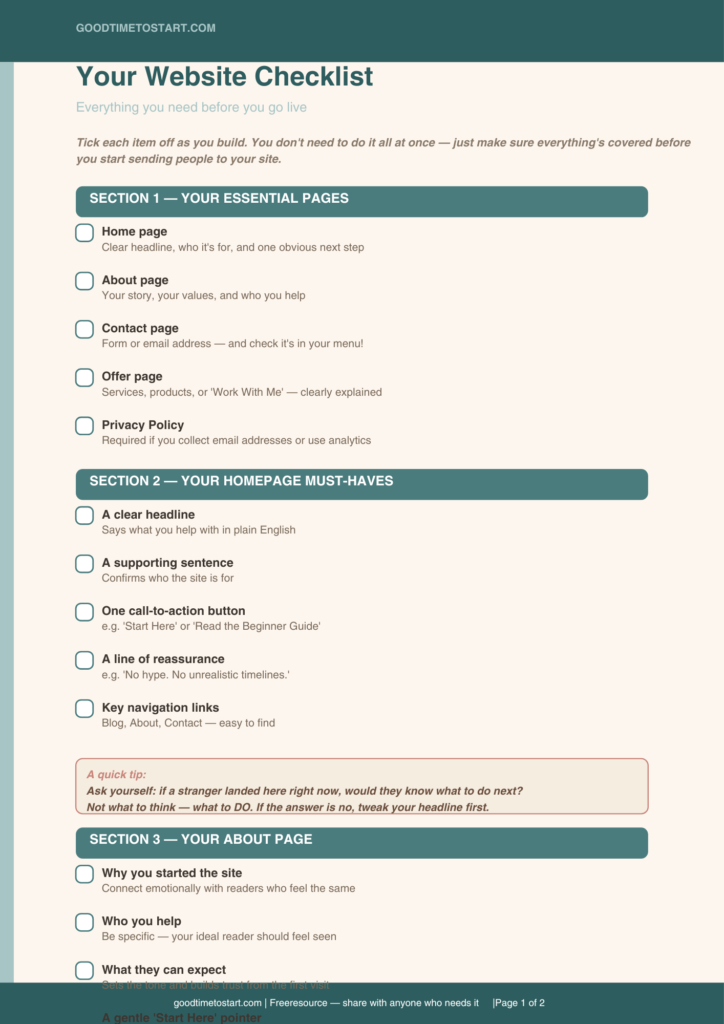
Home is your front door. It tells visitors what you do, who it’s for, and what they should do next. Think of it as a receptionist, not a welcome mat.
About is your trust builder. It tells people who you are, why you started, and what they can expect. People buy from people they feel they know.
Contact is your safety net. It removes friction and reassures visitors that a real person is behind the site. (And please, do check it’s actually in your menu.)
Your Offer Page might be called Services, Products, Work With Me, or Shop. Whatever suits your business, this is the page where people decide whether to buy.
Privacy Policy might feel like a boring admin task, but it’s also a trust signal. If you collect email addresses or use analytics, you need one. Use your platform’s basic template as a starting point.
That last one tends to get skipped. Don’t skip it. The boring pages are often the trust pages, and trust is everything when you’re building something new.

What Your Homepage Needs to Do in the First Ten Seconds
Here’s the honest truth about how people land on a homepage: they’re not calm, they’re not especially patient, and they’re faintly suspicious. They’re thinking, am I in the right place? Is this for me? Is this going to waste my time?
Your homepage needs to answer those questions quickly, before they click away. Research from the Nielsen Norman Group puts it plainly: a good homepage should clearly explain what the site offers and give people an obvious starting point. Nobody wants a “Welcome to my website!” message. They want to know they’ve come to the right place.
A simple homepage structure that works well for side hustles tends to look like this. A clear headline that says what you help with. One supporting sentence that says who it’s for. A single call-to-action button, something like “Start Here” or “Read the Beginner Guide”. A short line of reassurance, for example, “No hype, no unrealistic timelines.” And a few key links to guide people onwards.
That’s it. Resist the urge to put everything on the homepage. It’s not a brochure. It’s a signpost.

Why Your About Page Matters More Than You Think
A lot of people treat the About page like homework. Write something vague, add a photo, move on. But for a side hustle aimed at people who’ve been burned by online nonsense before, the About page is where you quietly win trust.
This is where you say why you built the site, what you believe (for example, realistic income goals and no overnight success claims), who you help, and what experience or perspective you bring. You don’t need to be a celebrity or a multi-award-winning expert. You just need to be real.
A simple About page flows naturally from a short paragraph about why you started, into a bit about who the site is for, what visitors can expect from you, and finally a gentle pointer to your best starting content. That structure works because it mirrors the questions a new visitor is quietly asking as they read.
One small tip: if you’re in your 50s or 60s and building something new, don’t hide that. Mention it. Your readers are likely in a very similar position, and seeing someone further along the same path is enormously reassuring.
Making Your Contact Page Do Its Job
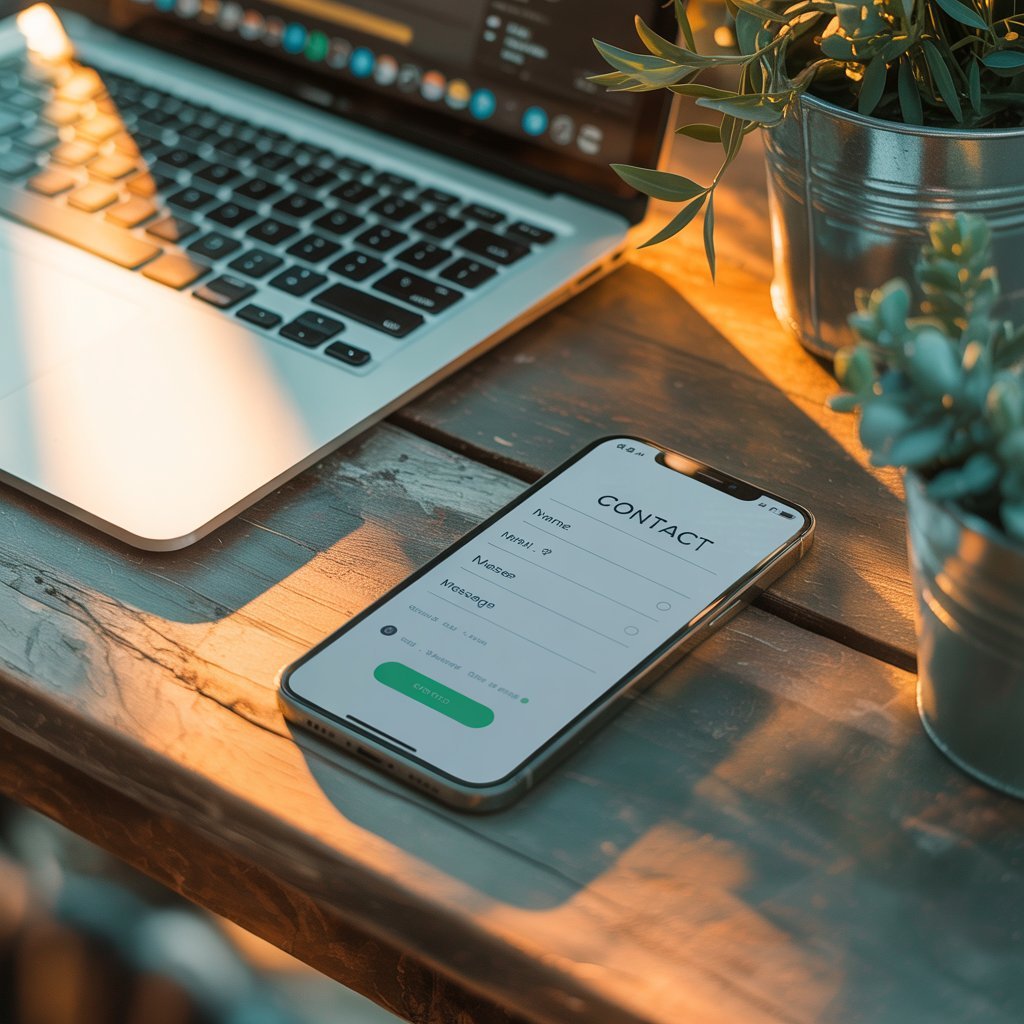
Your Contact page is not just a form with your email address. It’s a signal that you’re reachable, approachable, and actually there. For someone who’s been let down by faceless online courses and forums that never reply, that matters enormously.
Keep it simple. A short welcoming line. A contact form with clearly labelled fields. Your email address if you’re comfortable sharing it. A note about how quickly you typically reply. Links to your social profiles if you use them. That’s genuinely all you need.
And yes, I will say it again, because I learned it the embarrassing way: make absolutely sure your Contact link is visible in your navigation menu.
Your Offer Page: Where Visitors Decide Whether to Trust You
If you sell a service, a digital product, coaching, templates, or anything else, you need a page that explains it clearly enough that a visitor feels safe saying yes.
Think of it from your reader’s perspective. They’ve come from a world full of vague promises and suspicious sales pages. Your Offer page needs to be the antidote to that. Clear name and description. Who it’s for, specifically. What they actually get. How the process works, step by step. Answers to the most obvious questions. And one clear next step at the bottom.
That last section, a short FAQ, is genuinely useful. It reduces confusion, builds confidence, and means you get fewer panicked emails before a purchase. That’s a win all round.
The Blog: Optional, But Quietly Powerful
A blog isn’t just a place to write things. It’s an asset. It’s what makes it possible for people to find you through Google and Pinterest. It’s also what shows, over time, that you’re consistent, honest, and genuinely trying to help.
For a site like Good Time to Start, built as a calm alternative to the noise and hype, the blog becomes proof of your values. Every post you publish says: I’m here. I know what I’m talking about. And I’m not trying to sell you something that doesn’t work.
A few practical things to set up early: a Start Here or Getting Started hub page that new visitors can follow, clear categories so content is easy to browse, and internal links between posts so readers always know what to read next. That last point is particularly important. It keeps people on your site longer, and it makes the whole experience feel guided rather than chaotic.

The Small Extras That Make a Website Feel Credible
Once your essentials are in place, there are a handful of additions that can make your site feel much more established, without making it complicated.
Testimonials. Even two or three short quotes from real people can shift how trustworthy your site feels. Add them when you have them; don’t make anything up.
A Resource Page. One page listing your favourite beginner tools and resources is genuinely useful, and it also gives you a natural place to include affiliate links once you’re ready for that.
A Newsletter Signup. Your email list is the one audience you actually own. A simple freebie, one signup box, and no overthinking. Start small and build from there.
Policies. Privacy, cookies, and any disclaimers relevant to what you offer. Use your platform’s templates to begin with. You can refine them later.
A Build-It-This-Weekend Plan (Without the Spiral)
If you’d like to take action this weekend, here’s a practical way to work through it without overwhelming yourself.
Spend sixty minutes drafting your homepage headline, your one supporting sentence, and your call-to-action button. Clarity first.
Spend another sixty minutes writing a rough About page. Messy is absolutely fine at this stage. You can tidy it later.
Give yourself thirty minutes to set up your Contact page, add it to your menu, and test that it actually works.
Allow ninety minutes to outline your Offer page, even if you’re not ready to publish it yet.
Finally, use sixty minutes to add your first three internal links in your menus and on your homepage, so visitors always have somewhere natural to go next.
That’s it. A website is a bit like moving into a new house. You don’t need to paint every room and hang the pictures before you unpack. You just need the front door to open and the kitchen to function. Everything else can follow.

One Question Worth Sitting With
If someone landed on your website tomorrow, would they know what to do next?
Not what to admire. Not what to think about you. What to do next.
That one question fixes most beginner websites.
Read Next in This Series
If you’re working through the Getting Started series, these three posts fit naturally alongside what you’ve done today:
- Do I Need a Website to Make Money Online?
- Choosing a Domain Name: 7 Tips to Get It Right First Time
- How Much Does It Cost to Build a Website?
Think of those as your next three chapters. Nice and steady. No panic required.

Your Turn
I’d genuinely love to know this, and I suspect other readers would too:
Which page on your website feels the most unfinished or awkward right now? Is it your homepage, your About page, your Contact page, or your Offer page?
Leave a comment below. I read every single one, and it genuinely helps me know which parts to dig into more in future posts. If your answer is “all of them, honestly” that’s absolutely allowed. We start where we are.
Free Checklist
No signup – just click and download!