
You absolutely can. And if you’re someone who has spent years being competent and capable in your career, I want you to hear that clearly. You are not the person this is too hard for.
The internet makes websites sound wildly complicated. Brand strategists. UX consultants. £3,000 logos. Colour psychology. The whole performance. And if you’ve ever landed on one of those “how to build a website” guides that immediately tells you to define your brand values before you’ve even chosen a platform, I completely understand why you closed the tab and made a cup of tea instead.
But here’s the thing I wish someone had told me much earlier: building your first website is not a renovation project. It’s more like assembling flat-pack furniture. It can be fiddly, yes. You may mutter a few words under your breath. But once it’s standing, you feel genuinely proud. And then you improve it piece by piece, in your own time, at your own pace.
The one thing I’ll say upfront, before we get into any of it, is this: your first website does not need to be perfect. It needs to exist. That distinction matters more than anything else in this post.
Why “No Designer” Is More Achievable Than It Sounds
Modern website builders exist for exactly this situation. They were built for people who don’t write code and don’t want to. Wix is built around drag-and-drop editing with beginner-friendly tools and a clear “no code” positioning. Squarespace uses template-led design that’s meant to be a starting point you customise. WordPress, depending on how you use it, can be straightforward or more involved, but even WordPress.com leans into simpler site creation for people who just want to get something live.
So the tools exist. The bigger question is which one keeps you moving forward without tipping you into overwhelm. Because overwhelm is what actually kills side hustles. Not lack of talent. Not lack of intelligence. Just too many decisions arriving at once, with nobody to help you sort them into the right order.
The Friend Who Never Launched (And What That Taught Me)
A few years ago, I watched someone I know go through a cycle that I suspect will sound very familiar.
She wanted to set up a small service business online. Nothing enormous, just something steady and her own. She’d been watching tutorials for weeks and had developed a very thorough plan. First it was going to be a simple site. Then she decided she needed a premium theme. Then brand colours. Then she started thinking she should probably hire a designer. Then she concluded she needed to learn SEO properly before she started, because what was the point in launching if nobody could find her?
At some point, she stopped. Completely. The site never happened.
When I eventually sat down with her, we did something deeply unglamorous. We picked a clean template, wrote a homepage that clearly explained what she did, added a contact form, and published it. The spacing on one section looked a bit odd. Actually, it looked quite bad. We fixed it the following Tuesday. Two weeks later, she had her first enquiry.
The website worked because it existed. That’s really the whole lesson.
If you’re feeling that quiet “I don’t want to get it wrong” feeling right now, I understand it completely. But a live, imperfect website will teach you more in two weeks than another month of research ever will.
Choosing Between a Website Builder and WordPress
This decision trips a lot of people up, so let me simplify it as much as possible.
Website builders like Wix and Squarespace are genuinely beginner-friendly. Everything is in one place. Hosting is included. The design tools are visual. You can see changes as you make them. If you like things tidy and guided, and you want to get something live quickly without learning a stack of new concepts, a builder is a very sensible starting point.
WordPress is slightly different. It gives you considerably more flexibility and is brilliant if you want to build something you can expand and control over time. It has a much larger ecosystem of themes and plugins, and it scales well as your side hustle grows. The trade-off is that there are a few more moving parts to understand, especially if you choose to self-host rather than use WordPress.com.
If you’re still not sure which camp you’re in, here’s a simple test. Ask yourself which option makes you think, “I could actually start this tonight.” Go with that one. The best platform is the one you’ll actually use.
A Simple Plan for Building Your First Site in an Afternoon
I know some guides at this point tell you to “craft your irresistible brand identity”. We’re going to skip that entirely and focus on what actually matters for a first website.
Step One: Decide What Your Website Is For
Pick one primary goal. Just one. It might be collecting enquiries for a service, building a blog to grow traffic over time, selling a simple digital product, or simply proving you exist with a clean portfolio-style presence.
Trying to make a website do everything at once is what makes them confusing, both for you as you build it and for visitors when they arrive. A focused site almost always outperforms a complicated one.
Step Two: Choose a Template That Already Looks Right
Do not start with a blank page. Templates exist because they give you spacing, fonts, and layouts that already work. Your job is not to redesign the internet. Your job is to swap in your own content and make it feel like you.

Both Wix and Squarespace have templates designed to be starting points. Browse until you find one where you think, “I could see this being mine,” and start there.
If you go with WordPress, most themes also have templates. Don’t be confused that it is a theme for a builder, and you are not a builder, just look at the body and if that fits your style then that is the one you want.
Step Three: Build Only These Pages to Begin With
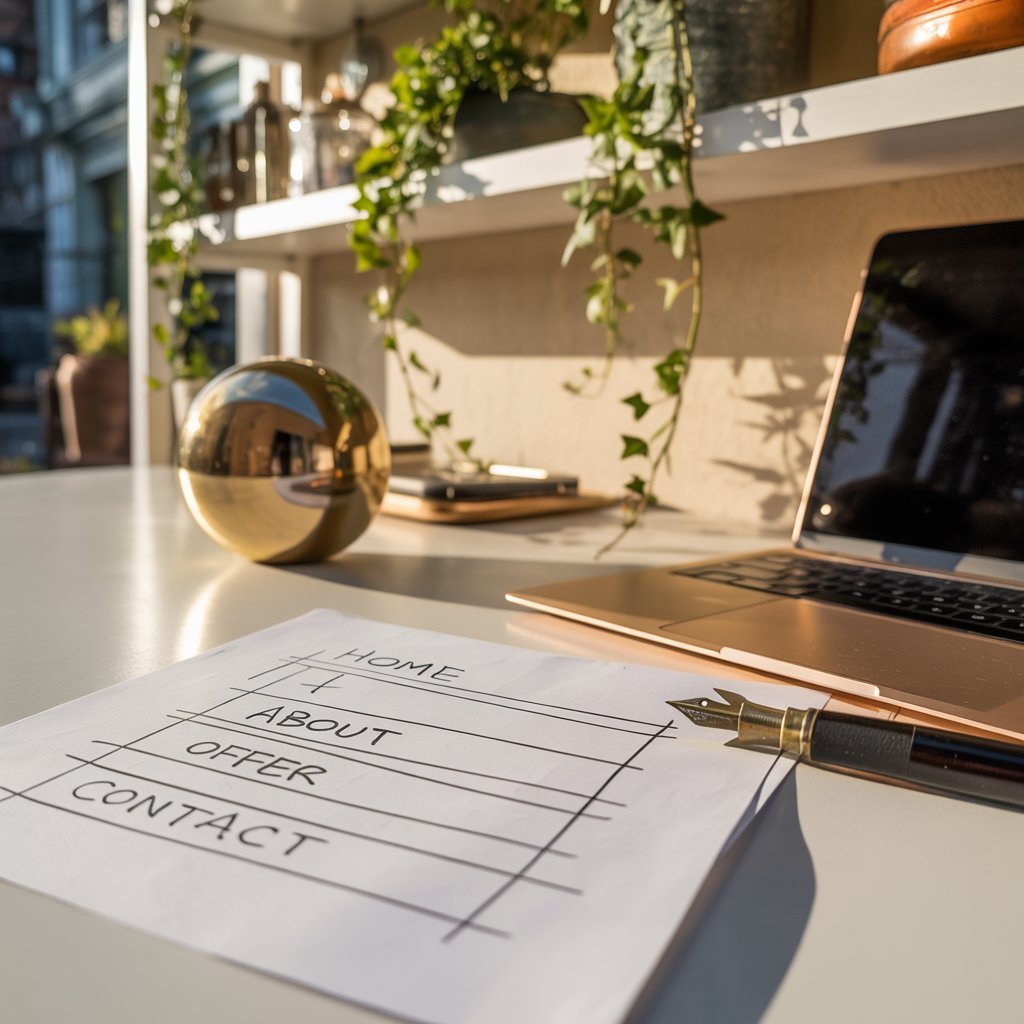
A homepage that explains what you do, who it’s for, and what the visitor should do next. A short About page with a little of your story and why you’re doing this. A Services or Offer page that describes what you provide in plain, simple language. And a Contact page with a short form and your email address.
That is enough to launch. The blog, the newsletter, the resource library, the podcast page: none of that needs to exist on day one. Add it when the business proves it needs it.
Step Four: Keep the Design Simple and Clear
Good design for a beginner site is almost entirely about clarity. Keep your menu short, use one font for headings and one for body text, make your buttons obvious, and don’t bury important information halfway down the page.
Also, keep your contact form short. Every extra field you add reduces the number of people who complete it. Name, email, and one brief message field is usually enough to start.
Step Five: Publish, Then Improve
This is the step most people skip, and it’s the most important one. Publish a version one. Then improve one thing per week. That’s not cutting corners. That’s how real websites actually develop.
When Hiring a Designer Actually Makes Sense
I want to be clear here: I’m not anti-designer. Not at all. Designers are skilled professionals who do brilliant work. But you don’t need one on day one, and paying for design before you’ve tested your idea is usually money spent in the wrong order.
Hiring a designer makes sense when you’re already generating income and time has become your bottleneck. It makes sense when you need something bespoke, technically complex, or highly specific to a brand you’ve already built. And it makes sense when you want someone to handle layout, accessibility, and user experience end to end.
If none of those things are true yet, doing it yourself is often the right move. And there’s a practical benefit beyond the cost saving: once you understand how your site works, you’re not stuck waiting for someone else every time you want to change a sentence or add a page. That independence is worth something.
Honest Answers to the Worries You’re Probably Sitting With
“What if it looks amateur?”
It might, slightly, to begin with. That’s completely normal. Templates help a great deal, and a clear, simple site almost always outperforms a clever-looking one that’s hard to navigate. People care far more about whether they can find what they need than whether your font pairing is on trend.
“What if I pick the wrong platform?”
Most people can move platforms later if they need to. The bigger risk is choosing nothing and launching nothing. A working website on an imperfect platform beats a perfect plan that never goes live.
“I’m not very technical.”
You don’t need to be. What you need is a step-by-step approach and fewer decisions arriving at once. That’s exactly why this post exists, and why the posts linked below are worth reading in order. Start simple. Add complexity only when the business asks for it.
What’s Been Putting You Off?
If this post has nudged you even slightly closer to just starting, keep the momentum going with these posts from the series:
Do I Need a Website to Make Money Online?
What Is the Best Platform for Building a Website?
How Much Does a Website Cost in the UK?
Before you go, tell me in the comments: what’s the one thing that has been putting you off building your website? I ask because it’s rarely what people think it is, and your answer might be exactly what someone else needs to read today.